
Application Status
The "Application Status" page is where the received responses/applications are reviewed. Everything that serves as a link displays in blue. Column headers can be selected for refreshing the data and for sorting. To access the details associated with any particular requisition simply click on a data element in blue. For example, clicking an item in the "Position" column will display the description associated with that position.
To access this information, go to: http://yourservername/ifas7/applicant/internal/posappstatus.aspx.
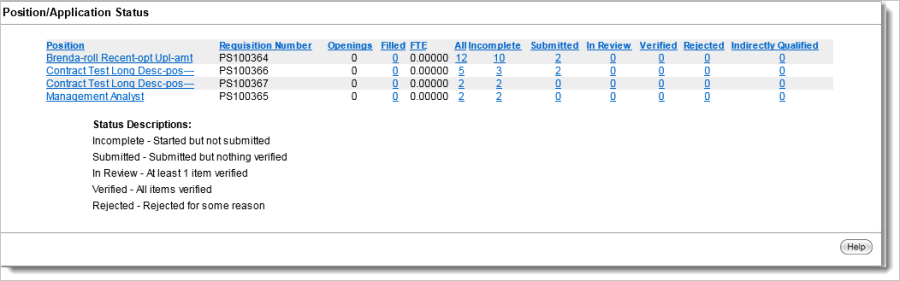
Position Review
Clicking a number in the "All" column header link displays the "Position Review" page. This includes the specific applicants who have applied for a position. As submitted application information is verified/confirmed, the Confidence Level percentage and scores increase.
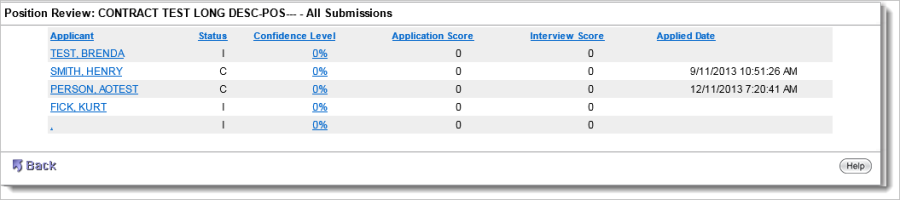
To view an "Application Report," click on an applicant name link in the "Applicant" column. This report will contain the details about the applicant's application.