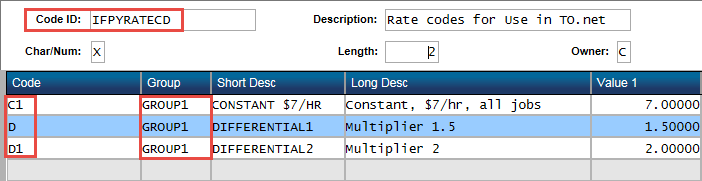
Set up rate codes in PYUPPC. Add the master record with Code ID = IFPYRATECD. At least one definition is required.
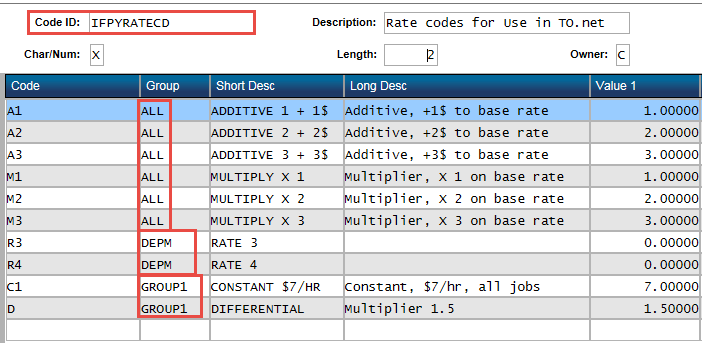
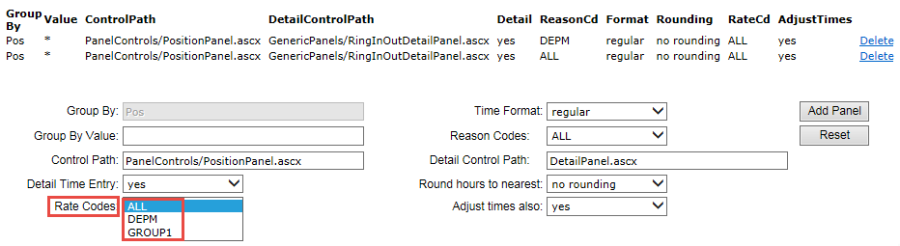
In the example below three rate code groups are defined (ALL, DEPM, GROUP1) which are used to populate the Rate Codes drop-down menu in the Group Panels settings on Customize Dashboard.
Differential Rate Codes
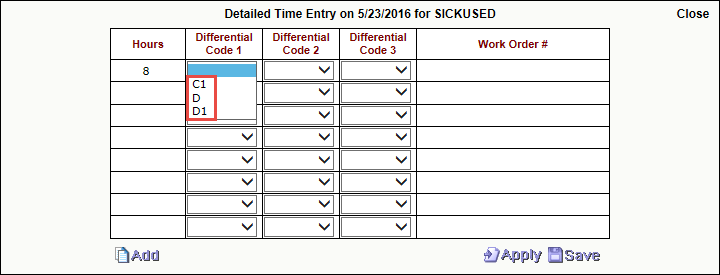
If using Differential Rate Codes, the client will need to enter a user-defined code, such as "P1", short and long descriptions along with a numeric value that represents a rate modifier. If the Differential Code represents a multiplier against base hourly rate, the user will set the matching Misc CD to "MULTIPLIER." Otherwise, if the Value is to add to the base rate, the user will set the matching Misc CD to "ADDITIVE." Up to three differential codes may be associated with each timecard record.
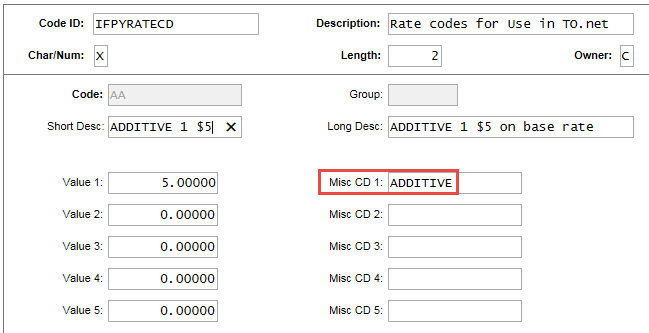
The Value 1-5 and Misc CD 1-5 fields enable custom code definitions to be used in the drop-down lists of the detailed time entry panel in Timecard Online. An example of the purpose of custom development is provided below.