
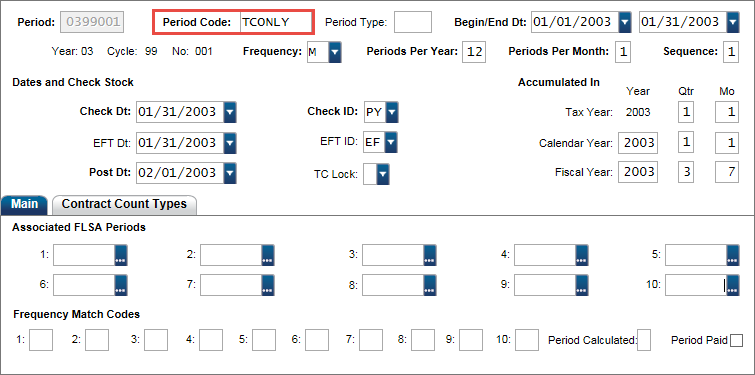
Set up a pay period to load leave balances (PYUPPR). For new implementations, use a separate pay period. Set the Period Code = TCONLY.
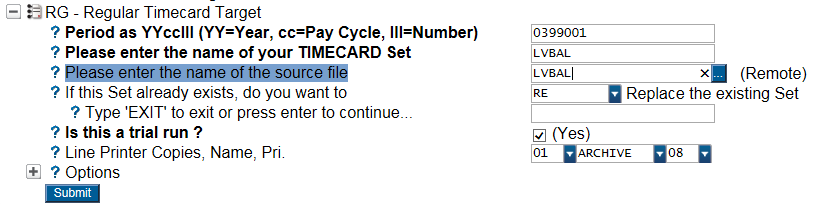
Run the PYTCIFXLRG to upload leave balances.
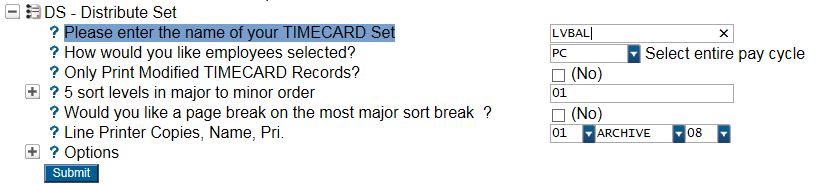
Distribute the batch and confirm totals (PYTCDTDS) - only necessary for Build 7.9.8 and below.
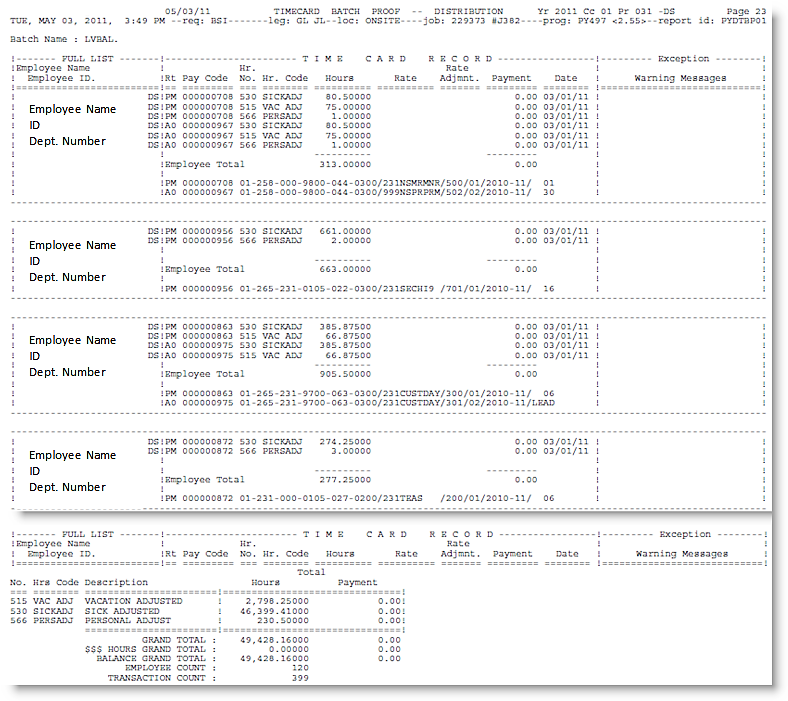
Example of PYTCDTDS report:
Force Calc the pay period (PYPAFC) to create history records (PYUPPH) in WP status.
Proceed with one of the following two options:
OPTION 1: Run a Distribute and Pay (PYPADP). Only use this option if Finance is still in TEST mode OR the PY to GL interface has been disabled.
OPTION 2: Manually update the history records as "DP" with SQL:
-
Log in to the Administrative Console.
-
From the Administrative Menu/ Database Admin/Utilities/ SQL Query.
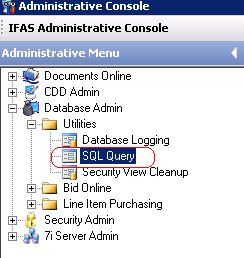
-
Execute this query to update the Payroll History from WP to DP.
-
Be sure to change the pyh_per_cc to the correct pay period (see highlighted)!
update pyh_hst_dtl
set pyh_ck_note = 'DP', pyh_ck_no = '99999999'
where pyh_per_cc = 0399001 and
pyh_ck_note = 'WP'
Recompute accumulators (PYUTRA). Always recompute for the TAX YEAR and set the anniversary accumulators to the end of a quarter.

Leave Balances are now viewable in the Employee Accumulator (PYUPEA) page and Timecard Online.