
Create File Image
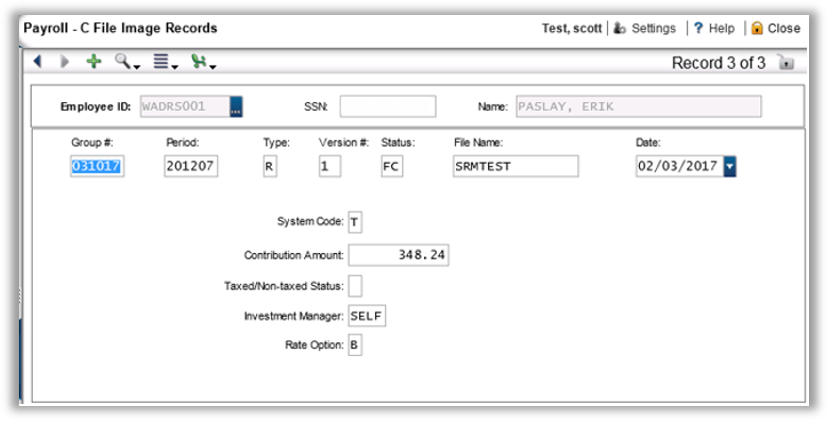
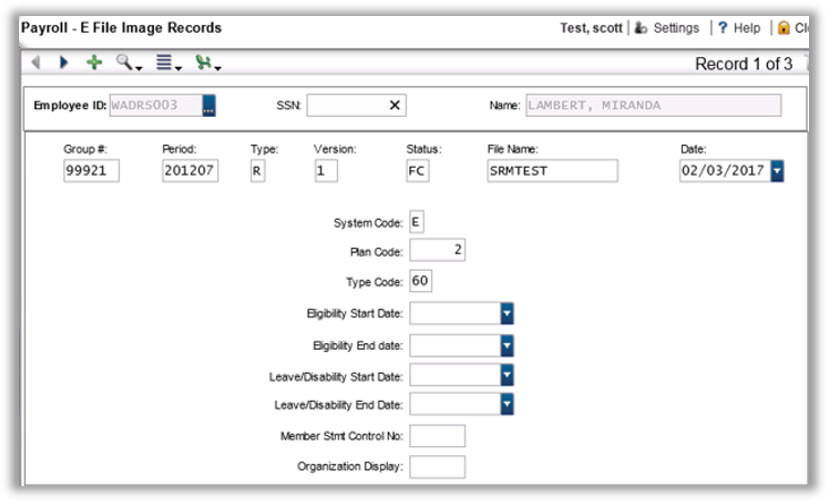
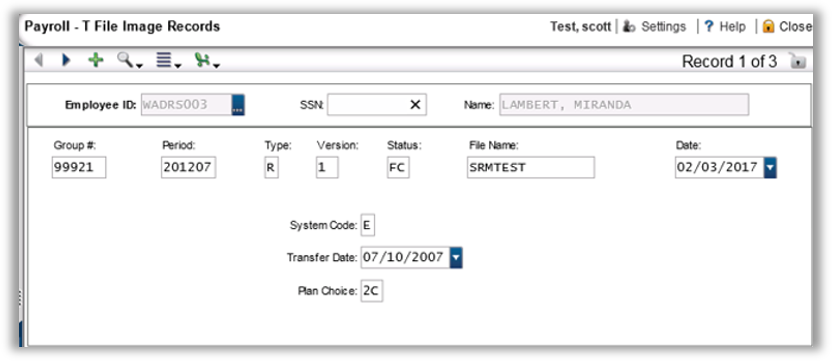
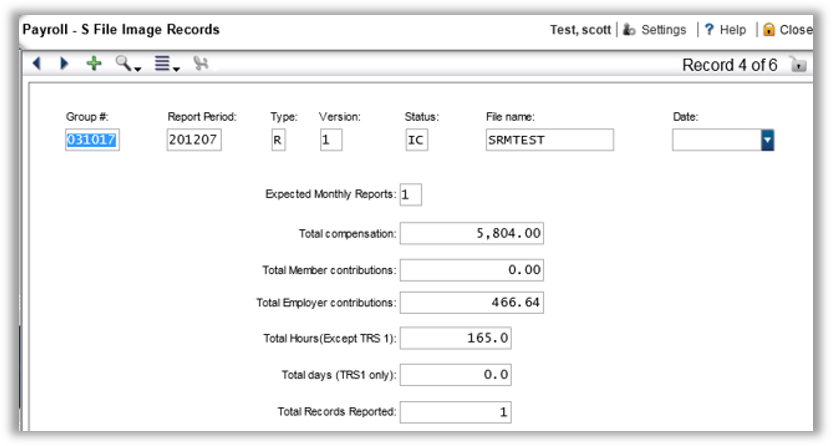
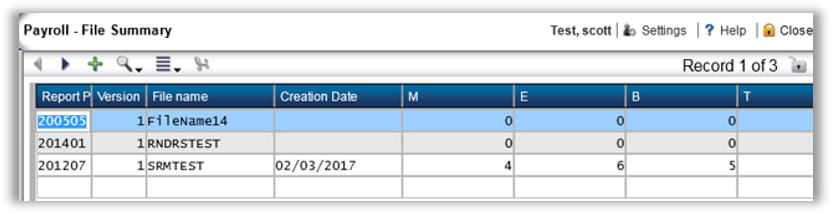
The file image is created (PYRERRWA04) after successfully running an extract. It consists of several different records that are reported to DRS, including the M, E, B, C, T, and S records as well as a file image summary.
To run the process, enter:
-
the current DRS reporting period that you want to create
-
the name of the file image which identifies everything to be reported in the different datasets
-
the payroll period that was last processed.
Edit File Image
B Record
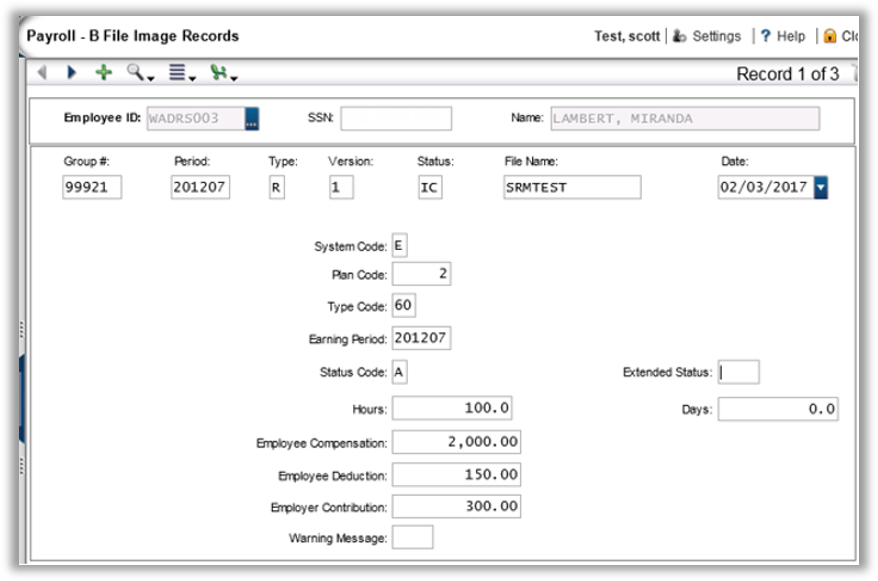
Status: On each of the file image records there is a Status field that is used to control the state of the current record. “IC” means Image Created but it has not been included in a file. “FC” means a file was created and the record has been finalized and sent to DRS. Keep in mind, however, that the system has no way to know if a file was created and nothing was done with it. “RJ” is the suggested term for Rejected records. A record may manually need to have the status updated to “RJ” if DRS rejected it and you want to resend the information.
C Record
E Record
M Record
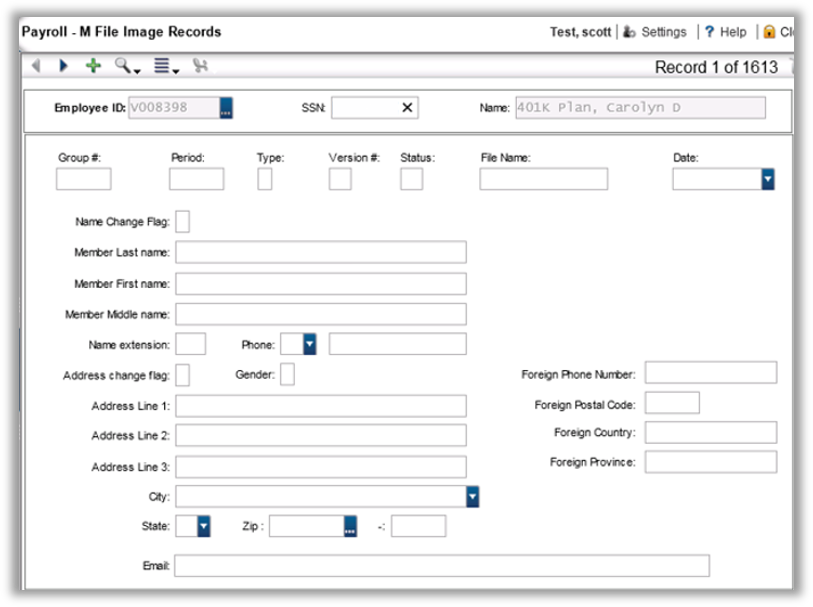
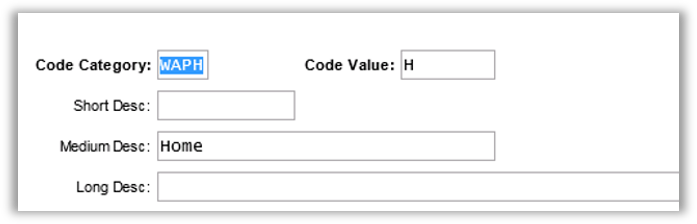
Phone Code: The possible values of the phone code are entered in common code WAPH. The code value is the displayed code in the drop-down. The medium description is the description that shows up as well. The common code below creates an “H” code for the drop-down with the description of “Home.”
T Record
S Record
File Summary
Mask PYRERRWA05FS.
Summary of Reported Records
Reported Information to DRS (Retwa Reported—PYRERRWA05SU).
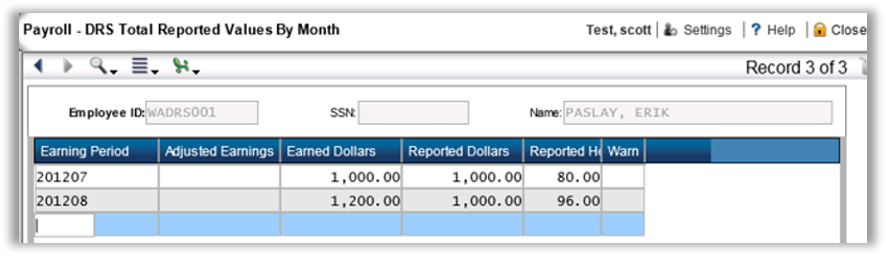
The reported information by month shows the total earnings by type (Warn) for each earning month that has been reported to DRS. This table is updated when the Balance Forward utility is used (PYRERRWAUTBF). This table works in conjunction with the Starting Period on the Retirewa screen (PYRERRWA01). Information from this table is typically reported for dates prior to the starting period, then information from payroll is used after the starting period.
Delete File Image
The Delete File Image (PYRERRWA10) utility deletes a single File Image. This is necessary if you need to re-run the create file image process because information has changed.
Investment Manager Summary
The Investment Manager Summary (PYRERRWA11) prints totals by manager for each system and plan in a given file image. You have the option to see employee details as well.